
Deleting your Hospet Account
Last updated on
If at any point in time you’d like to delete your Hospet account, you can utilize the following steps.
WARNING: This action is permanent and can not be undone
-
Login to your Hospet Account
-
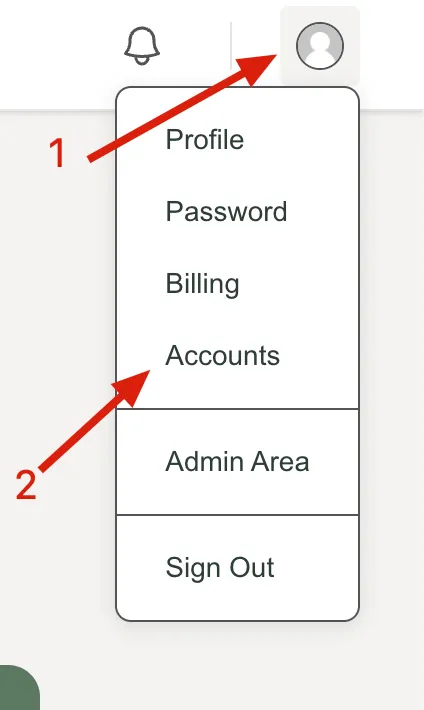
Click on the user avatar in the upper right hand corner of the app
-
Click on the “Accounts” menu
-
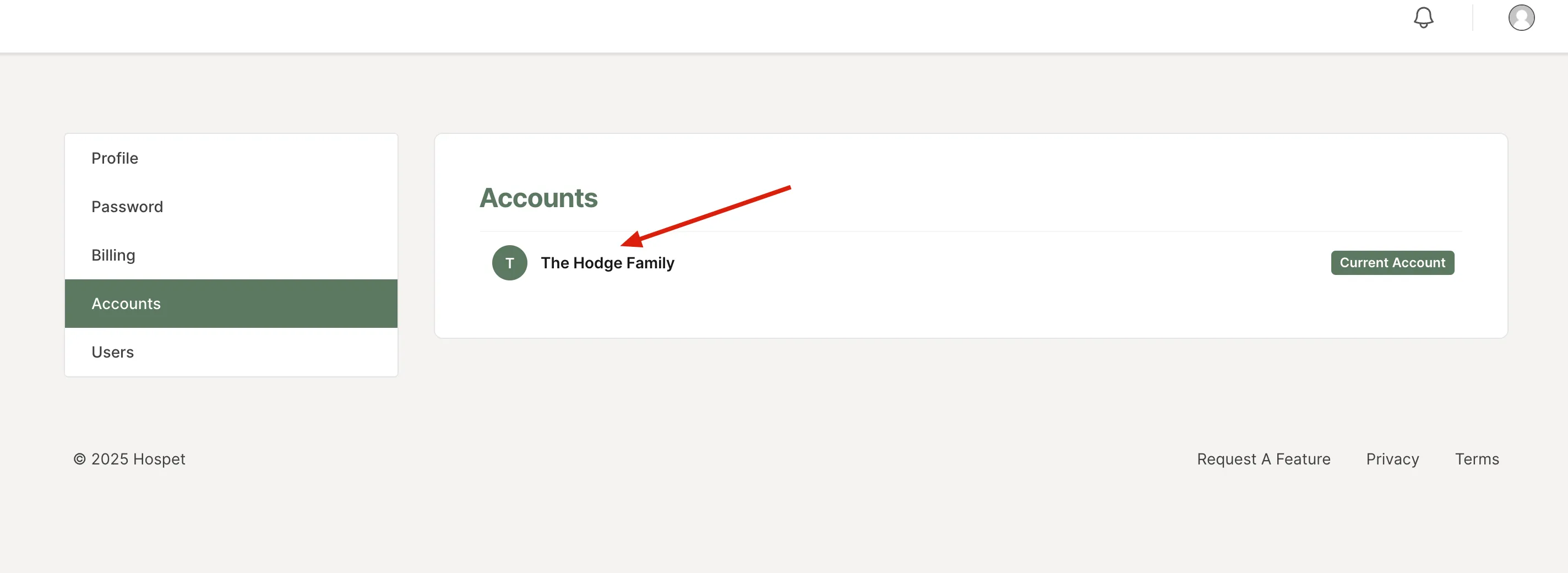
Click on the name of your Account
-
Click the “Edit Account” button

-
Click the “Delete” button
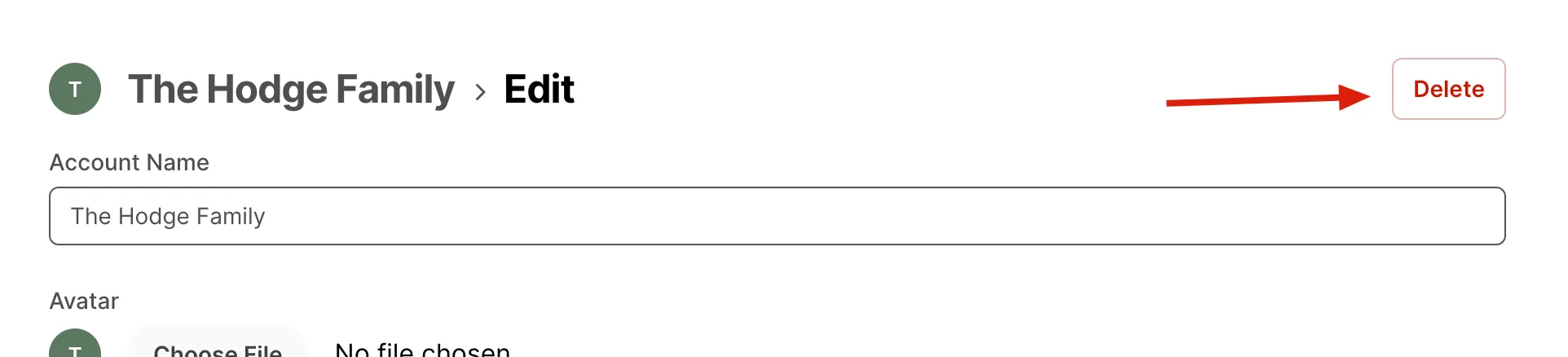
You will see a confirmation dialog pop up asking if you are sure you wish to delete your account. Clicking “Confirm” will delete your account.