
Creating A Pet
Last updated on
In order to create a pet in Hospet you must first create an account and log in.
Once you are logged in you are taken to your Dashboard Page and you will find two locations that you can click to create a new pet. The “Add Pet” Card on your Dashboard, or via the “+ Add Pet” link in the sidebar.
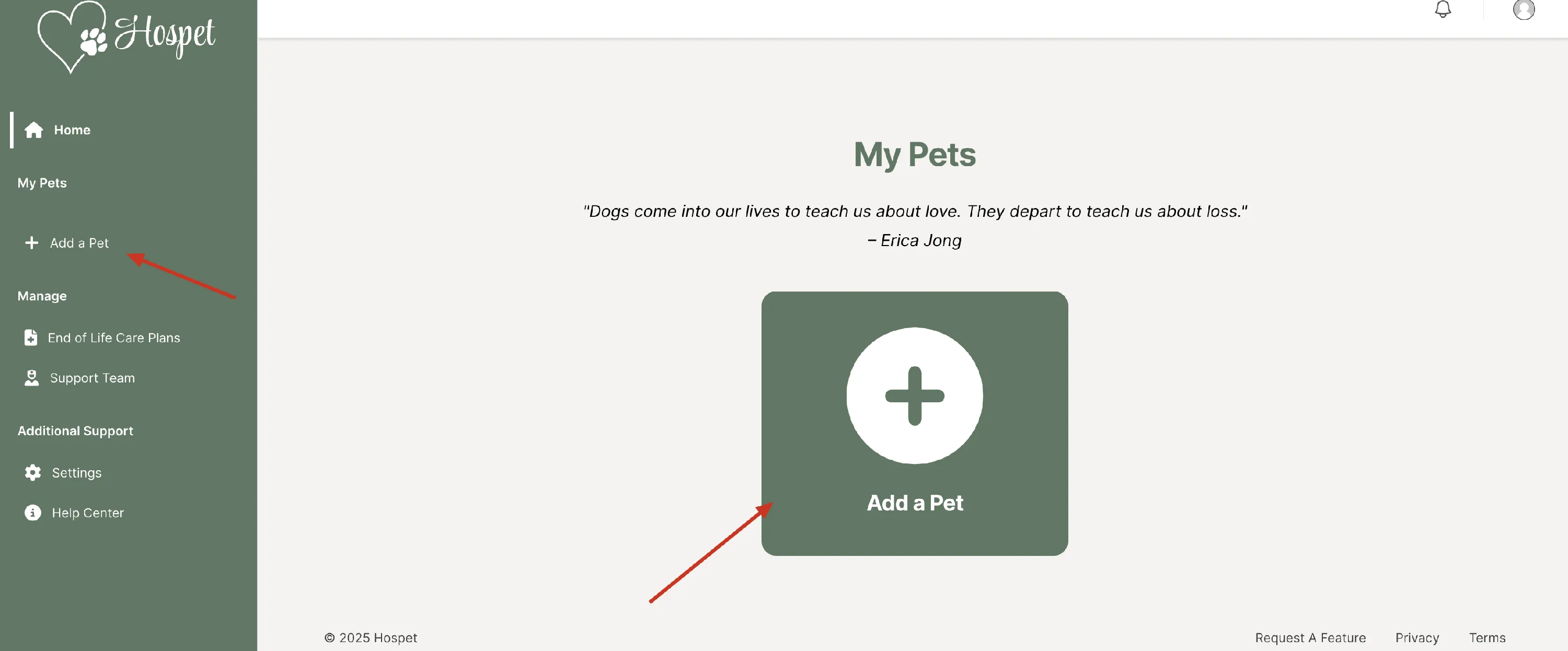
Clicking either of those links will take you to the “Create Pet” Page
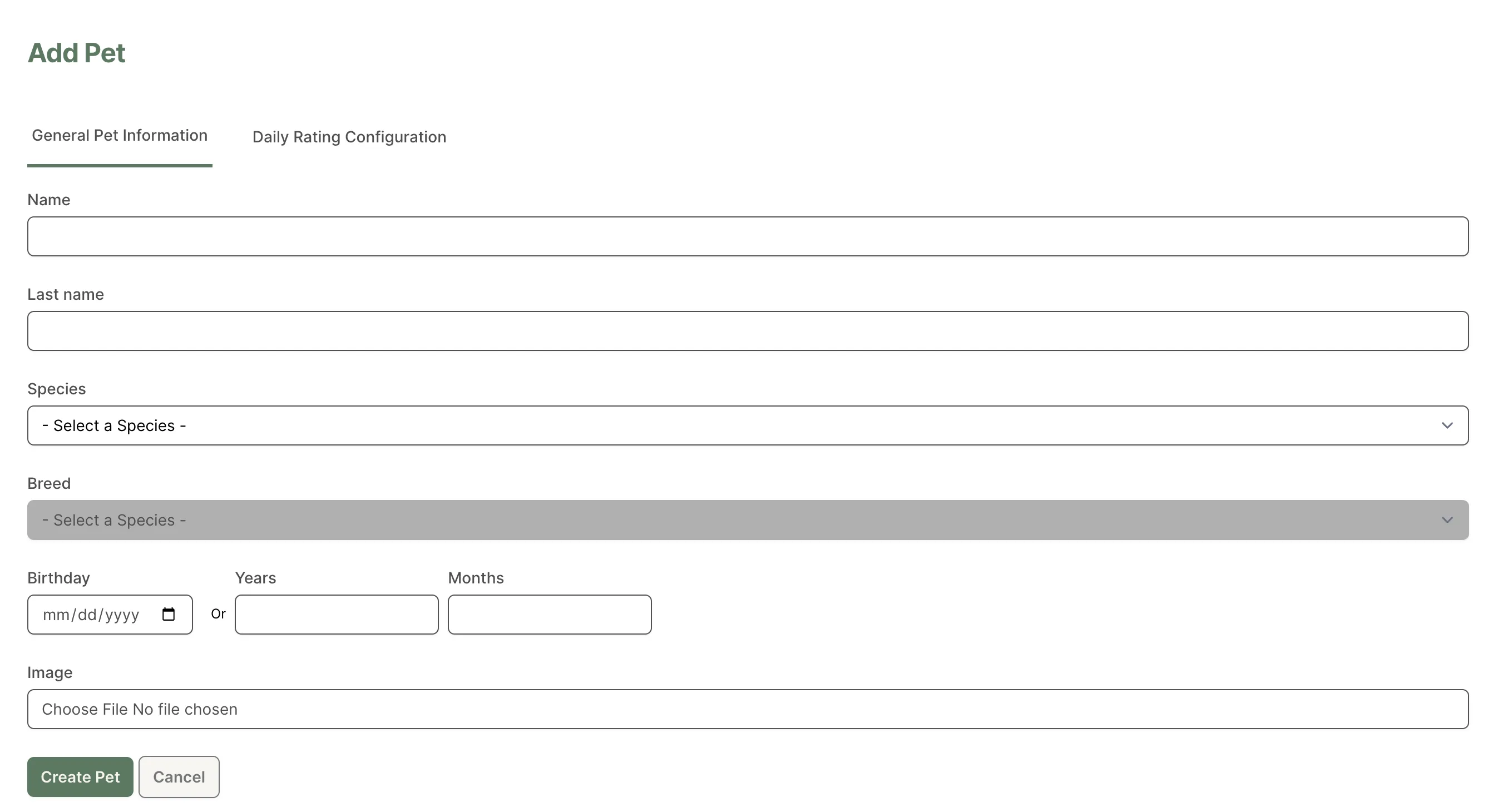
Add the information for your pet, hit save, and your pet will be created.
How many pets can I add?
As many as you like. There’s no limit on the number of pets in your Hospet account.
If you ever delete a pet, know that all data associated with that pet will be permanently lost.